
Decisions API
Choose when the answer is a known category, an ordered score, or a focused yes-or-no judgment.
Example: route a ticket to billing.
DecisionsApi · Decision models for your application
Turn customer messages, agent context, and source evidence into decisions your code can use. Compare GPT-6 Luna, Jev, and other models in the playground, then connect your workflow through one API.
Illustrative example
No credits usedCustomer message
“I was charged twice this morning. Please refund the duplicate payment today.”
One input → structured decisions
Choice
Billing
Route to the billing queue
Yes / no
96%
Probability of an urgent request
Score
2.8 / 3
Urgency on a 0–3 scale
Static illustration of the output format. Values are not a live model response or a measure of accuracy.
01 / Workbench
Try OpenAI Decisions API with GPT-6 Luna, or choose another decision model. Edit the input, define typed questions, and inspect the results before connecting the workflow to your backend.
Live requests require sign-in and use your available account credits.
Understand the API
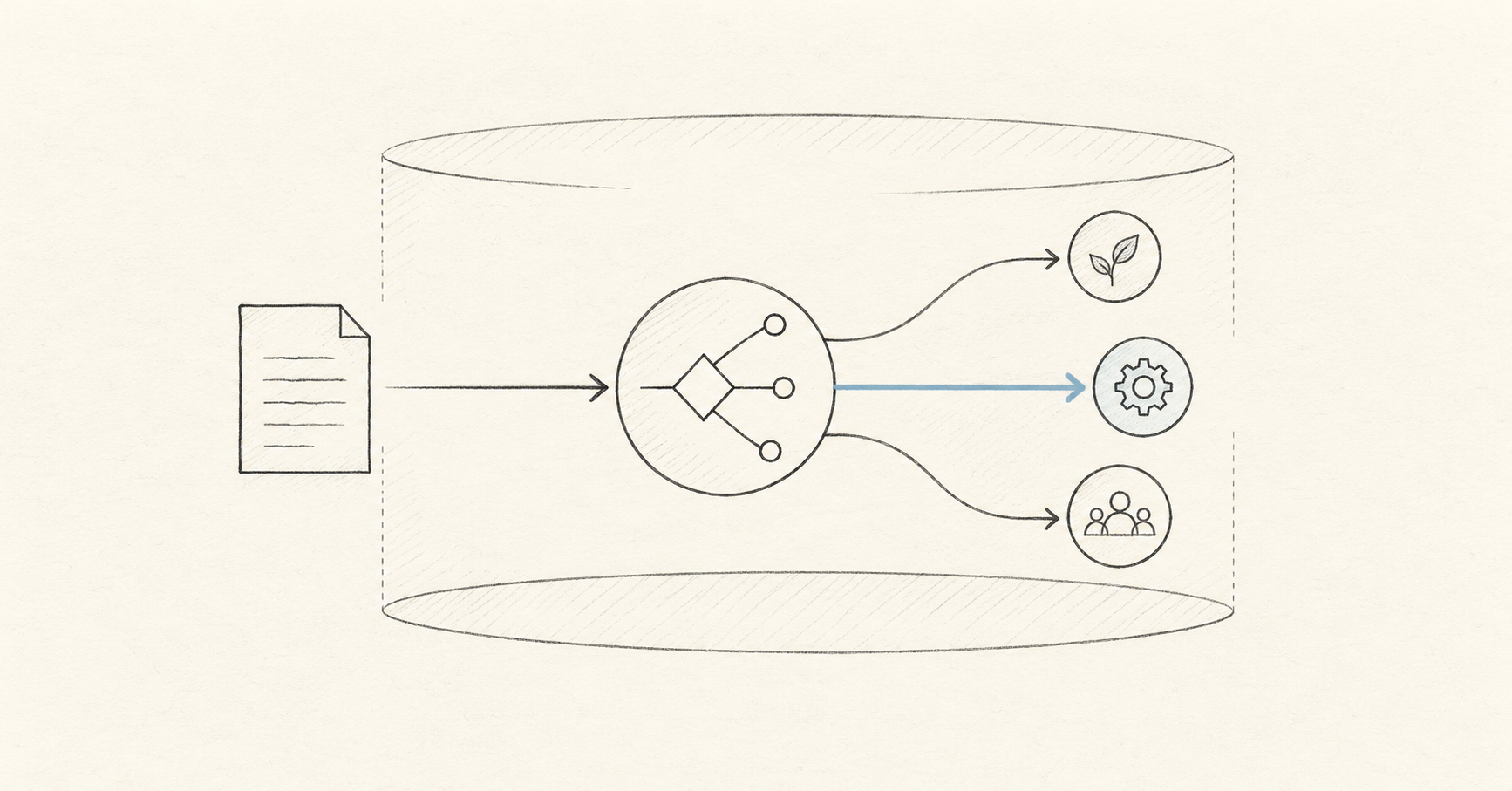
A decisions API evaluates context against questions you define and returns a category, a score, or a probability for a yes-or-no condition. Your application uses those results to route a request, prioritize work, or choose an agent’s next step.
For a message about a duplicate charge, ask which team should handle it, how urgent it is, and whether a person should review it. The same input can produce three separate signals for your support workflow.
Read the Decisions API guideChoose when the answer is a known category, an ordered score, or a focused yes-or-no judgment.
Example: route a ticket to billing.
Choose when you need a generated response shaped by your own JSON schema, including extracted fields or written explanations.
Example: extract invoice details into an object.
Choose when the model needs to request a tool and supply its arguments. Your application runs the tool and returns the result.
Example: look up an order by its ID.
02 / How it works
Send the relevant context, define the questions, inspect the answers, and map them to your application’s next step. The same workflow can handle support triage, model routing, or answer review.
Provide a message, policy, record, or the application state the decision actually needs.
state = ticket.textName the decision and its allowed answers, scale, or yes-and-no criteria.
questions = { intent, urgent }Read the typed answer, probability signals, model, usage, and request details together.
answer = result.answers.routeRoute, score, block, or request human review using the rules your application owns.
if result.urgent: escalate()03 / Start from a real task
Start with a decision your product already makes. Define the possible outcomes and test real inputs before connecting the result to an action.
Use Choice to select billing, technical support, or account help. Add a Score for urgency and a yes-or-no question for human review, so one message can inform the queue, priority, and escalation path.
Explore support ticket triageDefine the allowed next steps: search, look up a record, call a model, or ask a person. Use the selected route to dispatch the request, and check permissions before executing the action.
Explore model and tool routingProvide a claim and the relevant source passages. Classify the evidence as supporting, contradicting, or insufficient, then send unsupported answers for review.
Explore evidence checks04 / Understand the output
This platform exposes Choice, Score, and Noul question types. Check the selected model’s supported types; OpenAI’s direct API calls its yes-or-no type predicate.
Define distinct labels such as billing, technical, and other. Map the selected label to a queue, a filter, or an agent’s next step.
Define ordered levels with clear criteria, such as routine, urgent, and critical. Use the returned score to rank requests or flag replies for review.
Ask whether a request needs human review or a passage supports a claim. Compare the returned probability with a threshold tested on your own examples.
Designed for developers
Create a platform API key, choose a model, and send state plus questions to /v1/systemone from your backend. The example uses GPT-6 Luna through this platform. Its endpoint, model ID, and request format belong to this service; direct OpenAI requests use /v1/decisions.
Explore API docsPOST /v1/systemone
Platform API · Server-side JavaScript · GPT-6 Luna
const response = await fetch(
  "https://decisionapi.net/v1/systemone",
  {
    method: "POST",
    headers: {
      "Authorization": `Bearer ${DECISIONS_API_KEY}`,
      "Content-Type": "application/json"
    },
    body: JSON.stringify({
      model: "openai/gpt-6-luna-decisions",
      state: ticket,
      questions: {
        route: {
          type: "choice",
          instructions: "Choose the support queue for this ticket.",
          criteria
        }
      }
    })
  }
);
05 / Understand the service
Create an account, check your available testing credits, and try real classification and scoring cases before choosing a credit pack.
Use the same credit balance across the playground, API, and evaluation workflows. Credits from purchased packs do not expire.
Review request history and credit activity, and use request identifiers to connect API calls with their usage records.
Measure credit usage with representative requests, then choose a one-time pack. Credits pay for GPT-6 Luna, Jev, and other calls made through this platform, separately from direct OpenAI billing.
One-time plans do not auto-renew or require a long-term subscription; the $10, $100, and $1,000 tiers include credits that remain available after purchase.
Starter
Validate one real workflow, from the playground to your first API call
Pro
Connect classification, routing, and safety decisions to a production product
Enterprise
For multiple workspaces, team collaboration, and custom production integrations, with 10% extra credits
Compare before you ship
Use the same human-labeled cases to compare mistakes, human-review rates, response times, and credits used. Include clear, ambiguous, and unusual inputs, then choose the model that fits your workflow.
Jev
Typed choices, scores, and yes–no decisions
Laya
English and multilingual decision workflows
Kev, Solar, and Span
Additional models for comparison and evaluation
OpenAI Decisions API
GPT-6 Luna for structured decision workflows
Recent blog posts
Product notes, technical details, and practical ways to use Jev.
AI APIs
Compare Decisions API vs Jev: platform and model differences, typed outputs, API integration, cost evaluation, and a practical checklist for choosing your stack.
Oct 3, 2026 · 11 min read

AI Models
Understand the OpenAI Decisions API Luna model, preview status, bounded decisions, routing contracts, evaluation, and a practical path to production.
Oct 3, 2026 · 12 min read

Developer Guide
Build a decision API OpenAI workflow with typed outputs, a REST example, evaluation metrics, and production controls. Understand the different API contracts.
Oct 3, 2026 · 11 min read
AI APIs
A practical Decisions API documentation guide with the REST request format, Choice, Score, and Noul questions, a support-routing example, and production safety patterns.
Oct 1, 2026 · 11 min read
Practical answers about use cases, model selection, integration, confidence, and billing.
Use a decisions API for classification, scoring, routing, and yes-or-no judgments over context. Typical tasks include assigning a support team, ranking urgent tickets, choosing an agent’s next tool, and checking whether a claim has supporting evidence. Your application maps the returned signals to its own actions.
A JSON prompt asks for a format; Structured Outputs can enforce a supported JSON schema. Decisions API focuses on specific answer types such as a choice, score, or condition probability. If you need extracted fields or generated explanations, structured generation may already fit. Compare decision quality, latency, and cost on the same inputs before switching.
They can work together. A decision can select a route such as search, lookup, or human review. Function calling lets a model request a tool with arguments. Your application still validates the request, executes the tool, and handles the result.
Yes, when the selected model supports the required question types. Give each question a separate ID and share the ticket in state. This platform accepts 1–8 questions per request and a JSON request body up to 32 KiB. Read each answer by its question ID and apply your routing rules.
Pass the answer or claim together with the relevant source passages, and define supporting, contradicting, and insufficient-evidence labels. The result evaluates the evidence you supplied; it does not establish that the sources are true or complete. Review uncertain cases and test the labels against human judgments.
The platform’s model directory includes GPT-6 Luna Decisions, Jev, Laya, Kev, Solar, and Span. Supported question types and provider availability vary. Test the same labeled examples across compatible models and compare mistakes, review rates, latency, and usage before choosing one.
Include the message or record, relevant business rules, and evidence needed for these questions. A ticket classifier might need the customer’s message and team definitions; an evidence check needs the claim and source passages. Leave unrelated conversation out and keep the complete request within the platform’s size limit.
No. Probability and confidence are model signals; their definitions can differ by model and answer type. Use labeled examples to see how each signal relates to correct decisions, then choose thresholds that reflect the cost of mistakes. Keep a review path for ambiguous cases and measure its workload alongside accuracy.
Create a platform API key, store it on your server, and POST model, state, and questions to /v1/systemone with a Bearer token. For Luna, the platform model ID is openai/gpt-6-luna-decisions. The playground provides Python and JavaScript request examples; the API docs explain the response envelope, limits, and errors.
Create an account and use any testing credits granted to your account to run representative examples in the playground. Live playground and API calls use your platform credit balance. Check your available balance and the selected model before running a larger evaluation.
The request count alone is not enough: context length, questions, and actual usage affect consumption. Run a representative sample and divide credits used by completed requests, then multiply by your expected volume and include retries. Check the current credit packs on the pricing page. Platform credits and any direct OpenAI billing are separate.
This is an independently operated platform for accessing and comparing decision models. Use this platform’s API key with /v1/systemone. Direct OpenAI integration uses an OpenAI API key with /v1/decisions and the official request schema. OpenAI documents Decisions API as a public beta; provider availability and your account’s limits should be checked before production use.